
Ausom Scooter World PC Controls
Complete PC keyboard and mouse controls for Ausom Scooter World including movement, tricks, boost, and interactions.
Movement Controls
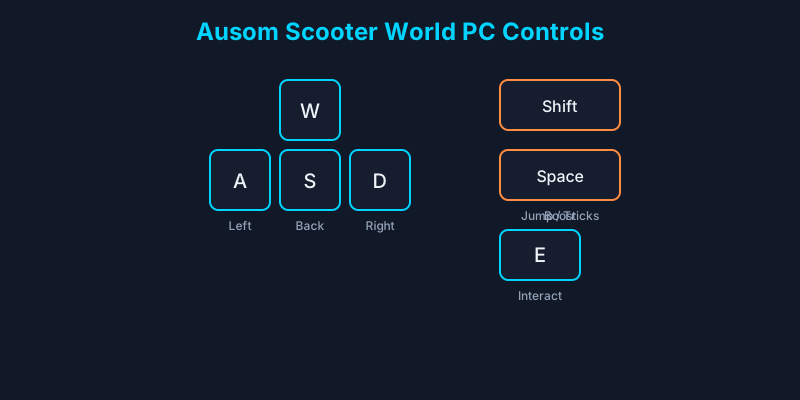
| Key | Action |
|---|---|
| W / Up Arrow | Move forward |
| S / Down Arrow | Move backward / brake |
| A / Left Arrow | Turn left / lean left |
| D / Right Arrow | Turn right / lean right |
| Spacebar | Jump / initiate tricks |
| Shift (hold) | Boost (consumes stamina) |
Arrow keys work as alternatives to WASD for players preferring directional key movement. Mouse movement controls camera angle —hold right-click and drag to rotate your view during rides and trick setups.
Trick Inputs on PC
Tricks combine jump timing with directional lean during airtime. Press Space to jump, then hold A or D mid-air to initiate left or right rotations. Release before landing to complete the trick cleanly and earn Style Points. Failed landings from over-rotation cause ragdoll crashes —part of the game's physics system.
Chain tricks by timing consecutive jumps on slopes and ramps. The Skate Park provides optimal geometry for practicing 360s, backflips, and grind approaches. Style Points from tricks contribute to your overall score and unlock cosmetic progression rewards.
Advanced players combine boost into trick approaches for higher air time, enabling longer rotation sequences. Manage stamina carefully —empty stamina mid-trick removes boost assistance on landing recovery.
Interaction and Menu Keys
E key —Interact with dealers, race gates, event prompts, and NPCs. Context-sensitive prompts appear on screen when interaction is available.
Tab —Open player list. Useful for finding friends in crowded servers.
Esc —Roblox system menu (not in-game pause). Access settings and leave experience.
Shop button (UI) —Left-side panel button for purchasing scooters, parts, and redeeming codes. Not a keyboard binding but essential for progression.
PC Performance Tips
Lower Roblox graphics settings if frame drops affect input responsiveness. Stable 60 FPS makes trick timing significantly more consistent. Wired internet connections reduce input lag compared to WiFi during competitive Street Races.
Close background applications consuming CPU resources. Ausom Scooter World physics calculations intensify during ragdoll crashes and multi-player events. A smooth frame rate directly translates to better control precision.
Compare PC handling against mobile in our Mobile Controls guide if you play across platforms.
Frequently Asked Questions
What key boosts on PC?
Hold Shift while moving to activate boost. Boost drains your stamina bar while active.
How do I wheelie on PC?
Initiate a jump and lean backward using S or precise mouse camera tilt during low-speed balance. See our Wheelie Guide for detailed technique.
Can I use a controller on PC Roblox?
Yes. Connect via USB or Bluetooth and Roblox automatically maps controller inputs.
Why is my camera spinning?
You may be holding right-click accidentally. Release to stop manual camera rotation.